Cloud telephony platform for medical clinics - turning every incoming patient call into a booked visit, with a real-time console for receptionists and an analytics layer for clinic managers.
HealthTech · SaaS
Industry
Product, IA, UI, design system
Role
Web
Platform
0→1 platform
Type
2020-2022
Timeline
Company


Doplanner Phone platform - two perspective
01 / Overview
Docplanner is a healthcare marketplace and practice management platform. At the time of the engagement, it operated across 13 countries, serving more than 100,000 clients and handling around 22M appointments each month. Docplanner Phone was a net-new product within that ecosystem.
Problem
Docplanner’s research found that more than 30% of calls to medical facilities went unanswered or unreturned—and that one in three of those patients was calling to book an appointment. Receptionists answered without patient context, missed calls left no trace, and follow-ups were tracked on sticky notes.
The task
Build one platform that solves two different problems—real-time call management for receptionists and efficiency analytics for managers—without overloading either role.
My role
Owned end-to-end UX and UI across both surfaces during the two-year engagement. Extended the company design system with call-management patterns that had no precedent. Research and client feedback came through Customer Success.
02 / Discovery
The platform serves two fundamentally different mental models—and that duality shaped the product architecture.
Research synthesis
In the moment
Answer calls with full context and turn them into booked visits.
No idea who is calling until the conversation starts, and missed calls leave no trace.
Time pressure, peak call volume, and decisions made in seconds.
Clinic Manager
At a distance
See where patients are being lost and make staffing decisions.
No visibility into reception efficiency; decisions are made by gut feel.
An aggregate overview—enough to identify the problem, not raw data.
03 / Process
Four phases across the two-year engagement, with client feedback and support tickets as the primary inputs.
03 / Platform - Reception

Reception - Calls view
The feed and the softphone share one screen, so answering a call, taking notes and looking up the patient never move reception off the queue.

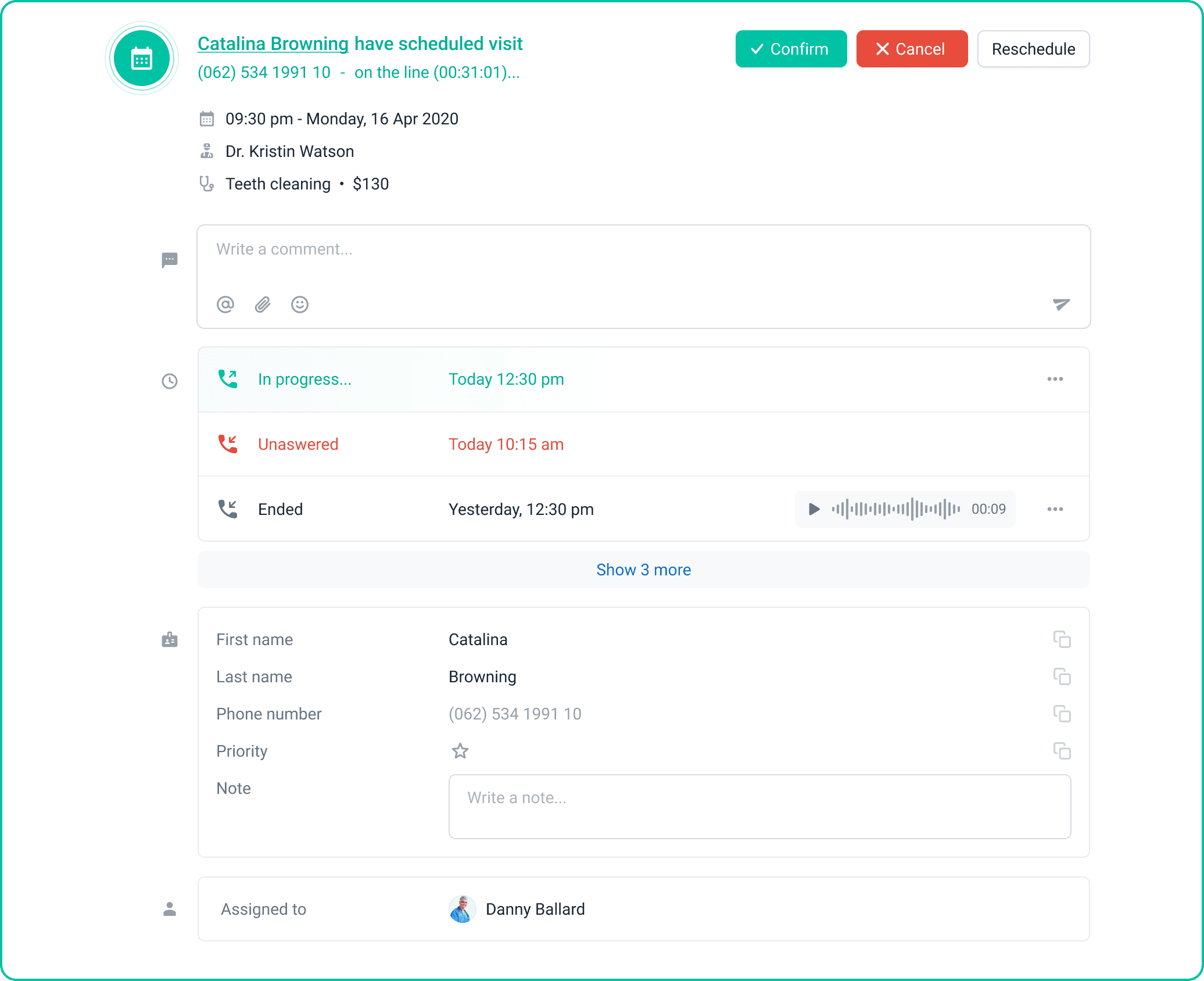
Single call details
Call history and patient data open over the feed rather than replacing it, so reception keeps its place in the queue.


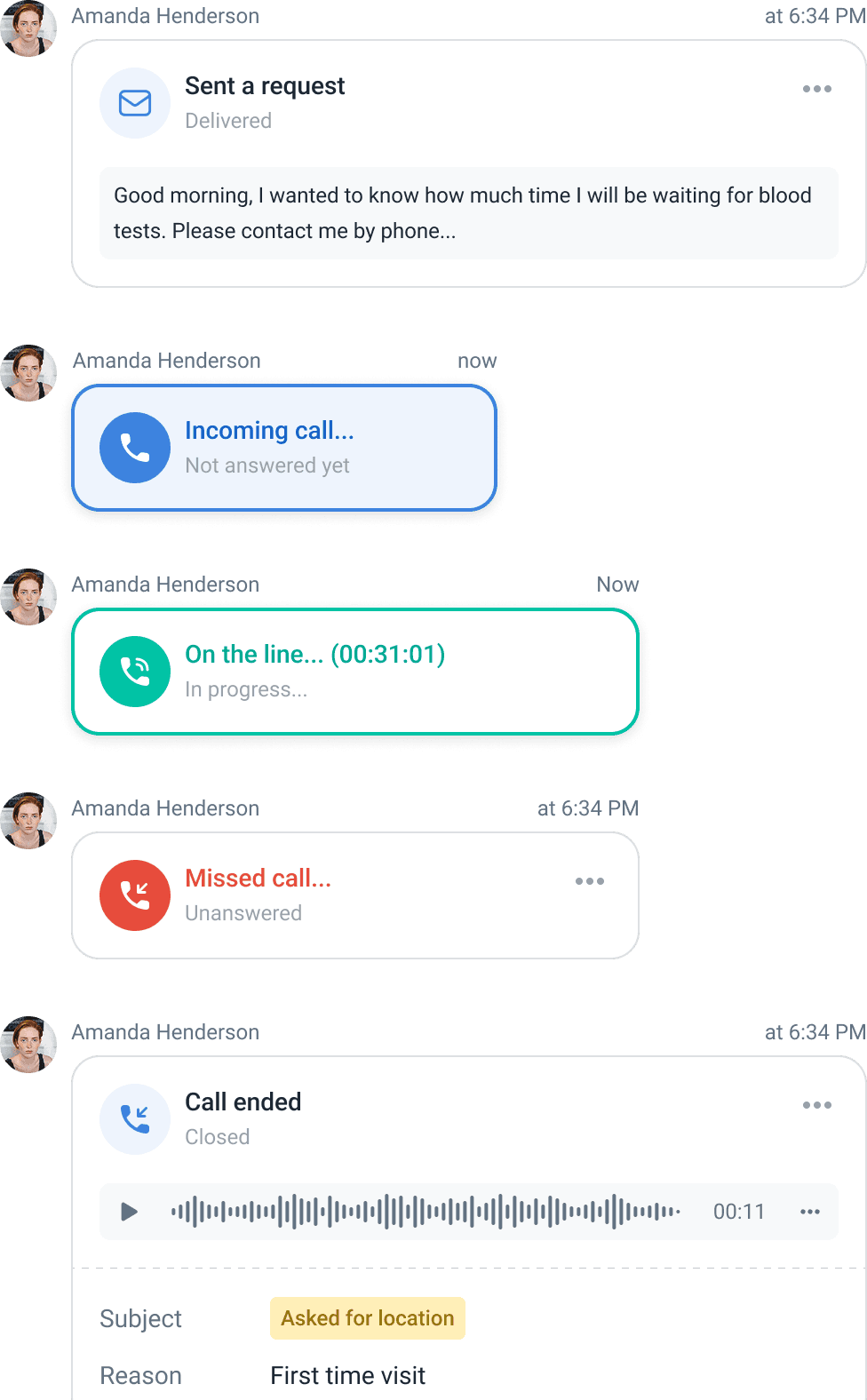
Patient profile · unified timeline
Phone, email, SMS and chat entries in one chronology, newest first — the full contact history on a single screen.

03 / Platform - Manager


Callbacks · conversion + performance
Callbacks measured from two angles — how many were recovered, and how quickly.

Settings · Working hours
Opening hours are set per facility, so after-hours calls are measured against the clinic's actual schedule rather than a fixed window.
04 / Key decisions
01 — Tiles with progressive disclosure
Problem
At peak volume, a receptionist decides how to handle a call in seconds. A list row provides a number and a timestamp—not enough to decide—so each call required an extra click before it could be triaged.
Decision
The call became a tile with three layers: compact for triage—name, status, and next visit—expanded for actions, and a modal for full history.
Rationale
A denser list with more columns would have imposed the same reading cost on every call, including the ones that needed no attention. Tiles impose that cost only when receptionists choose to look.
Outcome
Receptionists triage calls directly from the feed without opening anything, while the view stays readable as the queue grows.
02 — A unified patient timeline
Problem
Phone, email, SMS, and chat each kept separate histories. Receptionists could call a patient who had already been in touch that morning through another channel.
Decision
One timeline on the patient profile covers all four channels, so contact history is read chronologically rather than by tool.
Rationale
The channel is how a message happened to arrive, not what matters to the patient. Ordering by time matches how receptionists reconstruct a case before picking up the phone.
Outcome
A complete history regardless of channel—removing a common source of duplicate calls to the same patient.
03 — Summary first, drill-down second
Problem
Managers needed to know whether reception was losing patients—not to read call data. A full dashboard would have handed them the analysis to do themselves.
Decision
The statistics panel opens with a facility health check. Details live one level down, in drill-downs for each metric.
Rationale
The manager’s question is binary before it is quantitative: Is today normal? Answering that on the landing screen makes the detail optional rather than mandatory.
Outcome
Managers identify the problem and use it to inform staffing decisions instead of wading through raw data to find it.
1M+
Calls handled each month across all facilities.
2,700
Active users—receptionists and managers.
5
Countries where the platform is in use.
What was delivered
A two-surface product model—the reception console and manager analytics—built on one call data model.
A three-layer tile pattern for call triage, from an at-a-glance view to full call history.
A unified cross-channel patient timeline covering phone, email, SMS, and chat.
Call-management components added to the company design system where no precedent existed.
Designing for two roles in one product tempted us to make one interface serve both. The moment we stopped trying—separate surfaces on one data model—both became simpler.
The harder lesson was in the analytics: managers did not want more data; they wanted to know whether today was normal. Framing the panel as a health check rather than a dashboard changed what belonged on the first screen.