Orders dashboard - The screen the team keeps open all day: health metrics on top, a dense, sortable table below.

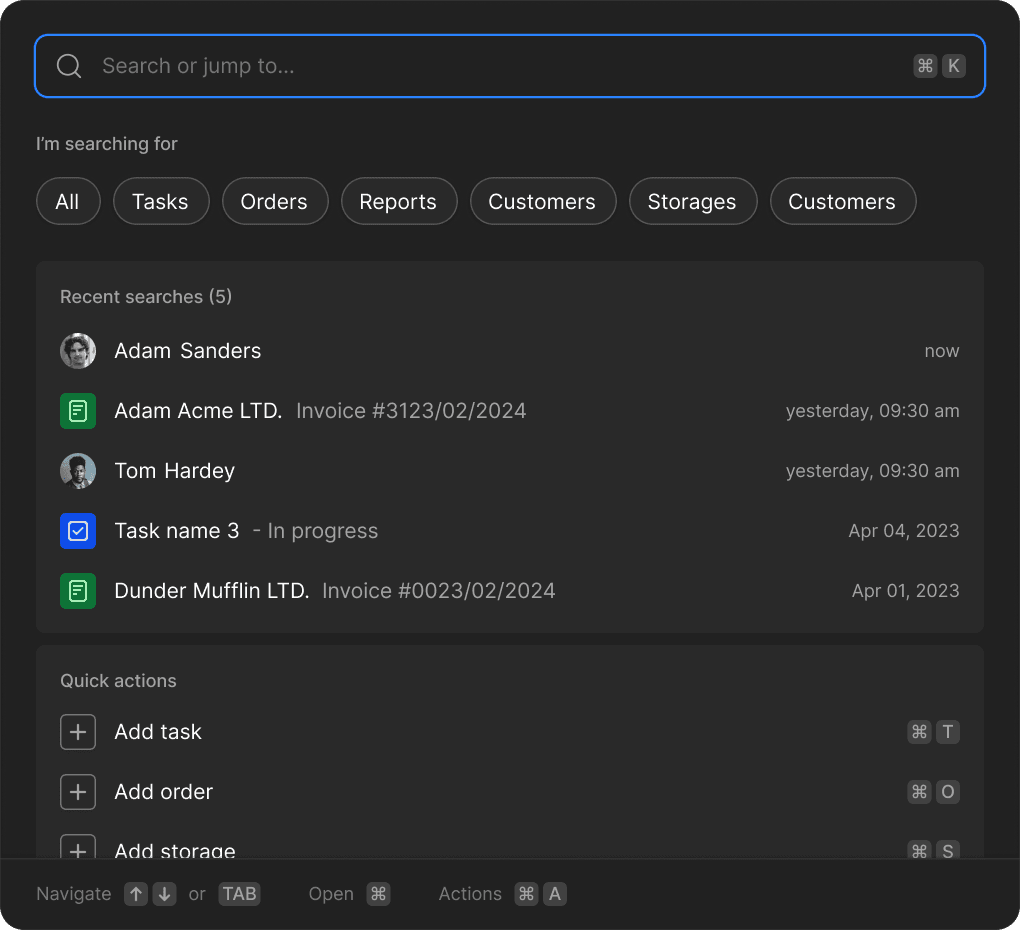
Command menu (⌘K) - Jump to any order, customer, or report, or trigger an action, from anywhere in the app.
01 / Overview
Context and challenge
I created this concept for small and mid-sized online stores with complex fulfillment needs. The goal was to design a simple daily tool that captures orders requiring extra steps before shipping, without making it feel like a spreadsheet or requiring separate tools.
Role and scope
I owned every part of the product-design work: defining the workflow model, structuring the information architecture, designing the interaction states, producing the high-fidelity UI, and building the design system that keeps web and mobile consistent.
02 / Discovery
01 / Order status as explicit stages
Extra fulfillment steps don't fit a "paid → shipped" model, so status is modeled as ordered stages — the longer steps live inside the order, not the daily list.
One model, simple orders to multi-step — no separate mode.
02 / Narrowed the scope to one job
A full commerce admin does far more than fulfillment, so I used Shopify's admin as a density benchmark rather than a template, then cut scope to fulfillment only.
Proven dense-data patterns, one focused workflow.
03 / A dark, system-first interface
Operators live in the tool for hours, so it's dark and dense for reading speed — and built system-first, from shared tokens and states, so web and mobile stay one product.
Legible dense UI with reusable patterns across platforms.
03 / Web

Order details - Items, customer, totals, and a full timeline in one place: change status, add tracking, and leave notes without leaving the order.
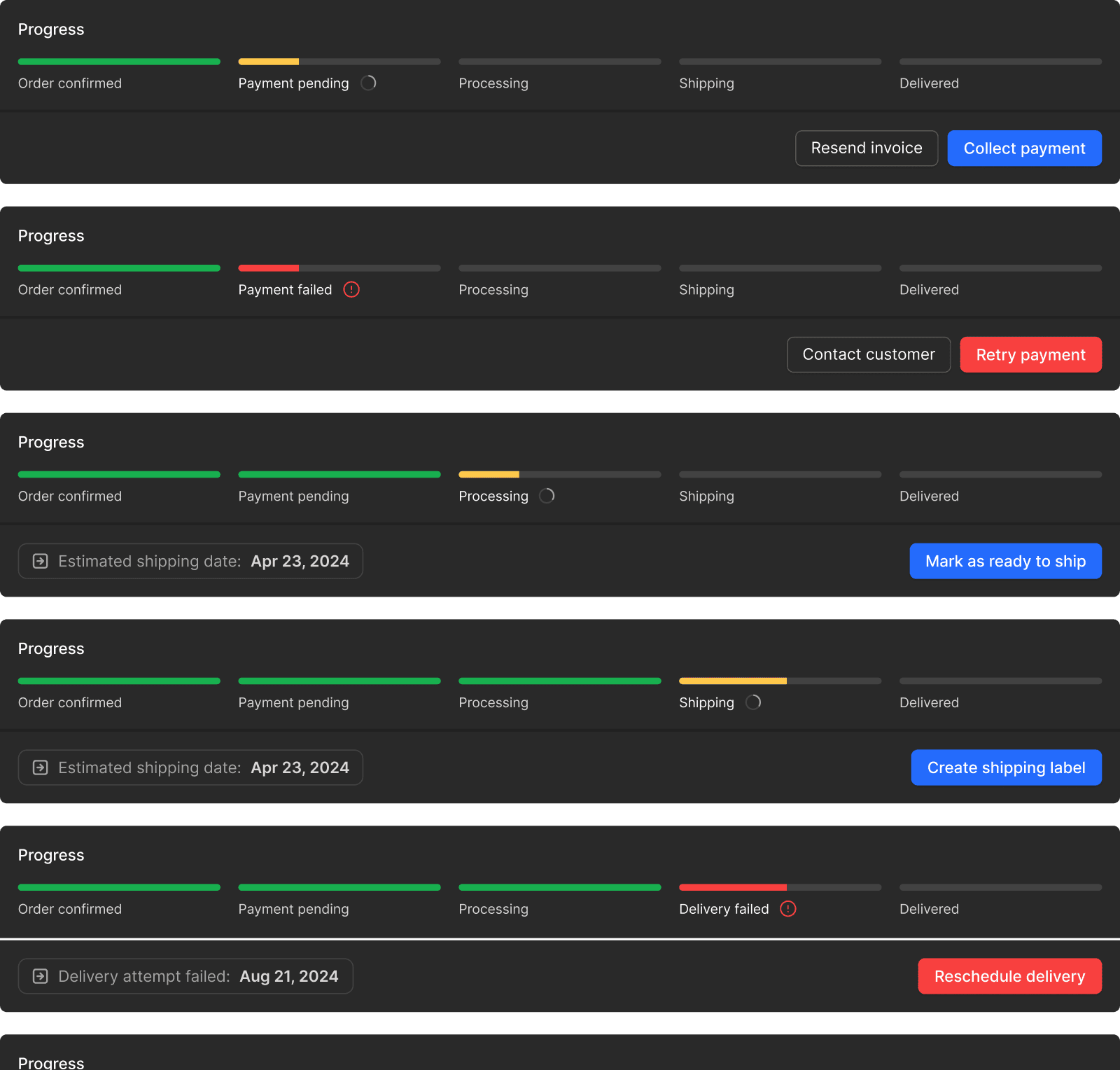
Every order state, one component - The same progress bar covers every state an order can be in — payment failed, ready to ship, delivery rescheduled — each with its own next action, so edge cases are handled by design rather than bolted on.

Customers - Every customer with their orders, payments, and invoices in one place.

Locations - Inventory by location, as cards or a table, edited in place, no separate tool to open.

Modals - Purpose-built modals for the three most frequent fulfillment actions: marking shipments, provisioning stock, and onboarding customers.
04 / Mobile
Designed for packing, checking, and shipping — not spreadsheets. The mobile app is deliberately focused: fewer features, faster actions, and built to be used one-handed while moving.
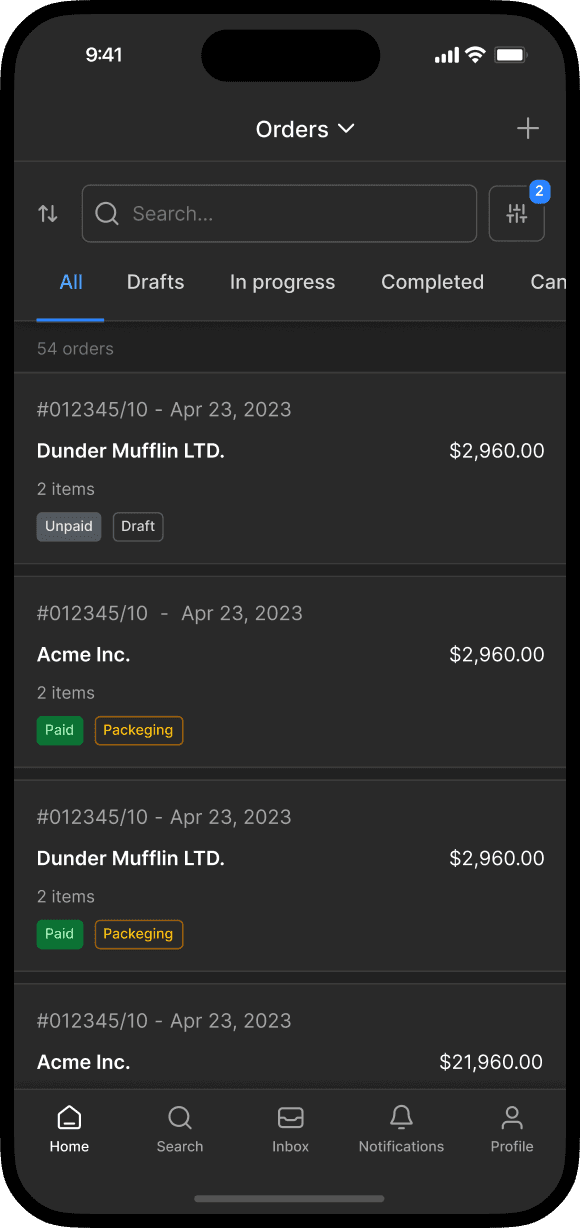
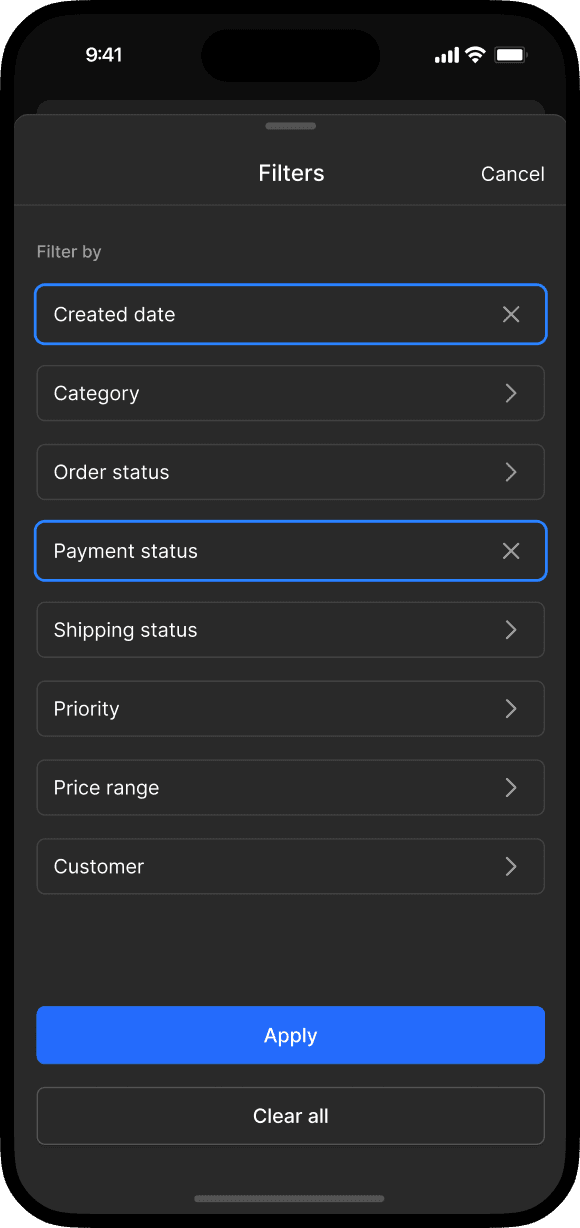
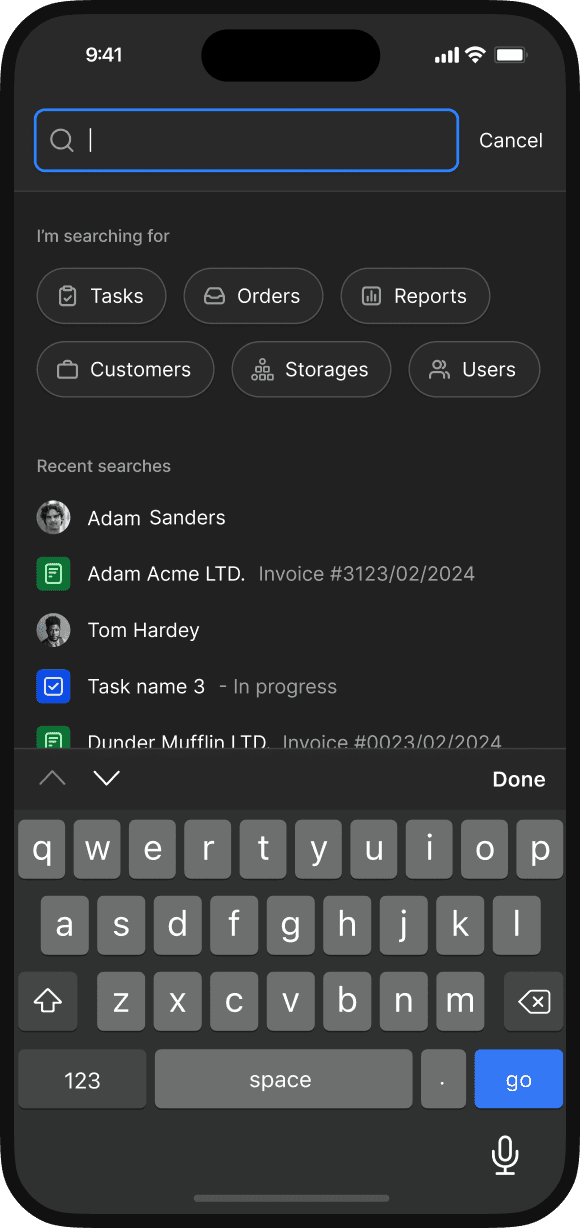
Find an order fast - Search and filters shaped for a thumb, so the right order is a few taps away.

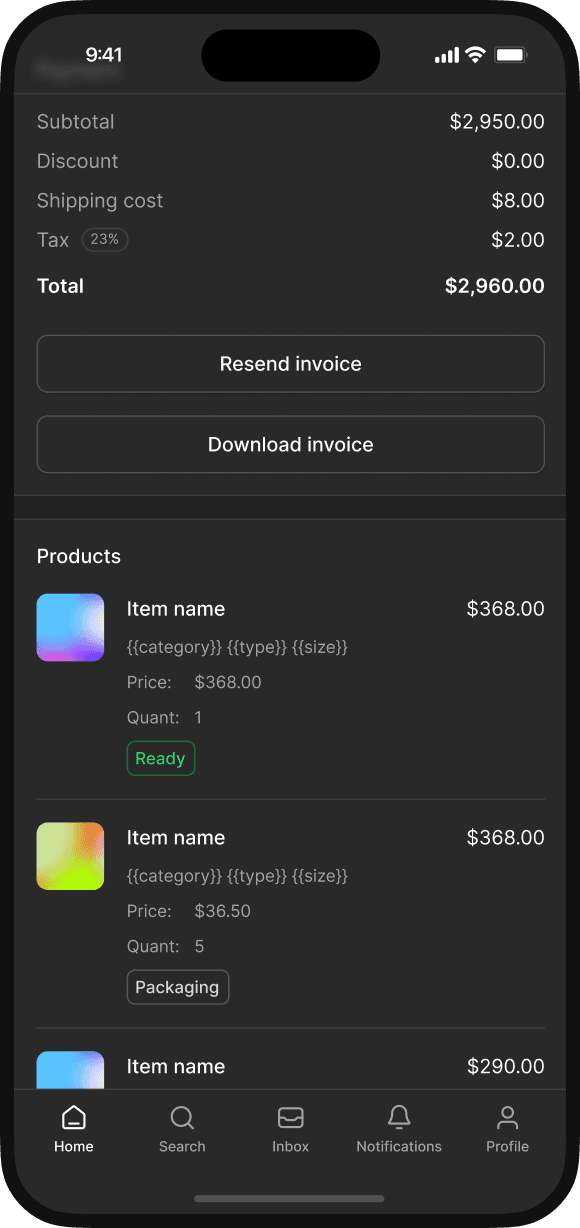


Mark as shipped flow - Carrier, tracking number, confirm — the one job the floor needs, in three steps.
05 / Outcome & reflection
Status visibility
Does a visible order status measurably cut the time spent checking on orders?
Web / mobile split
Does the split match how teams actually divide the work between desk and floor?
Progressive detail
Where the dashboard should hide detail for newer users.